Posts

Showing posts with the label file system

Create a GhostBSD USB SSD 500GB or larger size

Image
  Create a GhostBSD USB SSD 500GB or larger size This is source file I used.  You have to set global environment variable DISK1 in fish shell  set -gx DISK1 /dev/da0 cat  ./create_ssd_GhostBSD.sh root@omid-ghostbsd-pc /h/o/ssd_test# cat ./create_ssd_Ghostbsd_da1.sh  #!/bin/sh set -e set -x echo " ${DISK1} <--- This is the DISK1 environmental variable, set example: DISK1=/dev/da1; export DISK1 " echo " Made for a 500GB size USB to NVMe style SSD disk style SSD disk  " # echo "If da1 already exists,  use  gpart destroy -F da1  or gpart destroy -F ${DISK1} to clean of partitions on da1 " sleep 6 gpart list ${DISK1} gpart status ${DISK1} gpart show -lp ${DISK1} echo "  create a GPT scheme on ${DISK1} hit ctrl-C to exit. " # test if geom disk list da1  ,  then gpart destroy -F ${DISK1} if gpart status ${DISK1} ; then    gpart show -lp ${DISK1}    echo " Type Ctrl-C  NOW!  to stop destroy ${DISK1}...
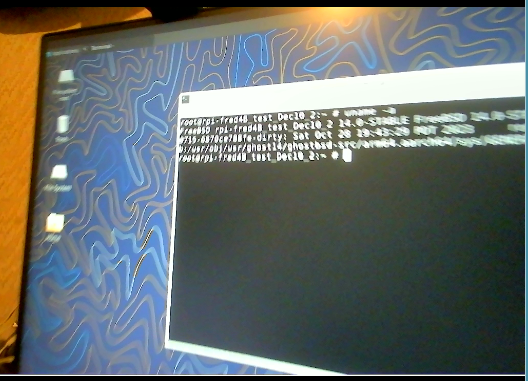
ZFS boot on root setup for a USB SSD

Image
ZFS boot on root  setup for  a USB SSD http://ghostbsdarm64.hopto.org/packages/   Where to find files ? Here use this link.   http://ghostbsdarm64.hopto.org/packages/gh14_Dec30_arm64_create_disk.tar.gz Download this file to a working directory on your GhostBSD live media or a working FreeBSD machine. xz --decompress --keep gh14_Dec30_arm64_create_disk.tar.gz Use the file dd_ghost14.sh  shell script to 'dd' write the image file: http://ghostbsdarm64.hopto.org/packages/Ghost14_5g_selfbuilt_raspi4b_Jan22_0.img.xz    Ghost14_5g_selfbuilt_raspi4b_Jan22_0.img  file into a USB flash drive /dev/da1 Shell scripts to create the USB SSD, and the captured output listings It is hard to remember the details of creating a partition without a tested script. Also look at a PuppyLinux_or_PCBSD blog post on reading about ZFS create: http://puppylinux-or-pcbsd.blogspot.com/2023/03/zpool-create-zfs-create-how-to-use-disk.html   https://www.reddit.com/r/freebsd/co...

Otter-Browser very slow display files, seems file writing,reading has problem. Zink driver missing

 Otter-Browser  very slow display files, seems file writing,reading has problem. Zink driver missing  set up 3  repositories ,  GhostBSD.conf , PersonalBSD.conf , FreeBSD.conf file installed to /usr/local/etc/pkg/repos/  directory pkg install otter-browser $ otter-browser MESA: error: ZINK: failed to choose pdev glx: failed to create drisw screen failed to load driver: zink ICD default IO error handler doing an exit(), pid = 3014, errno = 35 This is the system that could download 497 binary packages in less than 2 minutes on 1 Gb Ethernet wired connection,  Yet takes 19 hours to install those 497 packages.  No errors reported though.  So where is the system spending its time? System disk test commands to use: diskinfo -c /dev/da0 truss -o test-disk.txt  cp -p junk.txt  junk1.txt             truss -o test-disk2.txt cp -p junk.txt junk2.txt I have had the first instance take a couple seconds to compl...