Posts

Showing posts with the label /dev/gpt/rootfs

How to install GhostBSD-Arm64 into a USB Flash Drive stick April 24, 2024 update edition.

Image
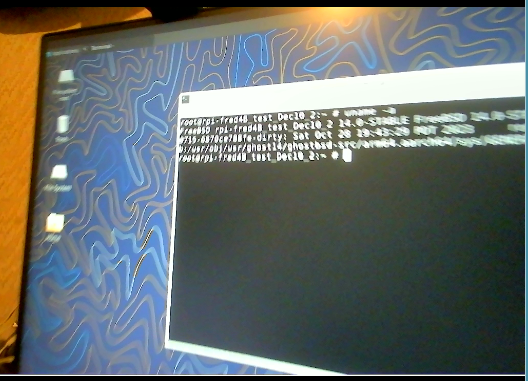
 How to install GhostBSD-Arm64 into a USB Flash Drive stick January 5, 2024 edition, update April 24 2024 The steps below are based on using a Raspberry Pi 4B,3B,400 computer, running sh shell scripts using FreeBSD or GhostBSD-ARM64.    1.)  You can  may run these scripts on a standard X86_64 PC booting a live image of https://GhostBSD.org/download    " latest build " or the regular released version, then written to a USB flash Drive for booting up a live media version of GhostBSD or    booting a snapshot .ISO image of FreeBSD.  updated March 2, 2025 https://freebsd.org/where    FreeBSD.org/where   13.2-RELEASE or 14.2-RELEASE https://download.freebsd.org/releases/amd64/amd64/ISO-IMAGES/14.2/   https://ghostbsd.org/download   Direct download from Canada, France, South Africa or a Torrent download  for x86_64  GhostBSD image   Brian Hughes, creates a GhostBSD 25.01R14.2p1 release video https:/...
ZFS boot on root setup for a USB SSD

Image
ZFS boot on root  setup for  a USB SSD http://ghostbsdarm64.hopto.org/packages/   Where to find files ? Here use this link.   http://ghostbsdarm64.hopto.org/packages/gh14_Dec30_arm64_create_disk.tar.gz Download this file to a working directory on your GhostBSD live media or a working FreeBSD machine. xz --decompress --keep gh14_Dec30_arm64_create_disk.tar.gz Use the file dd_ghost14.sh  shell script to 'dd' write the image file: http://ghostbsdarm64.hopto.org/packages/Ghost14_5g_selfbuilt_raspi4b_Jan22_0.img.xz    Ghost14_5g_selfbuilt_raspi4b_Jan22_0.img  file into a USB flash drive /dev/da1 Shell scripts to create the USB SSD, and the captured output listings It is hard to remember the details of creating a partition without a tested script. Also look at a PuppyLinux_or_PCBSD blog post on reading about ZFS create: http://puppylinux-or-pcbsd.blogspot.com/2023/03/zpool-create-zfs-create-how-to-use-disk.html   https://www.reddit.com/r/freebsd/co...

Partition Type Numbers for FreeBSD and Linux, maybe Windows Gpart command

Image
https://www.softwaretestinghelp.com/mbr-vs-gpt/ https://itnixpro.com/manage-disk-partitions-in-linux-using-gdisk/   GDISK  https://linuxconfig.org/how-to-list-create-delete-partitions-on-mbr-and-gpt-disks-rhcsa-objective-preparation   MBR and GPT disks https://www.computernetworkingnotes.com/linux-tutorials/manage-linux-disk-partition-with-gdisk-command.html   GDISK  command  https://www.rodsbooks.com/gdisk/walkthrough.html   GDISK walk through Rod Smith  Partition Type Numbers for FreeBSD and Linux, maybe Windows  Gpart command https://www.system-rescue.org/disk-partitioning/Partitions-attributes/ System-Rescue  shows Fdisk, parted, gparted  examples  look for a gdisk example https://learn.microsoft.com/en-us/windows-hardware/customize/desktop/unattend/microsoft-windows-setup-diskconfiguration-disk-modifypartitions-modifypartition-typeid Microsoft Windows  BIOS/MBR UEFI GPT  information https://learn.microsoft.com/en...