Posts

Showing posts with the label buildworld

GhostBSD-Arm64 Future Road Map Ideas to share with present Users.

GhostBSD-Arm64  Future Road Map Ideas to share with present Users.   FreeBSD is where GhostBSD gets upstream sources.  FreeBSD is the parent, but GhostBSD copies and keeps its own repository of source code in packages.  Howto on GhostBSD-Arm64 uses to obtain ghostbsd source code.  Start with a FreeBSD snapshot running Workstation to obtain source code like this: mkdir -p /usr/ghost14 ;  cd /usr/ghost14 git clone  github.com/ghostbsd/ghostbsd-src cd ghostbsd-src;  make buildworld ; make buildkernel KERNCONF=GENERIC-VCHIQ XFCE4.18 is operational on GhostBSD Arm64 Operating System based on FreeBSD Arm64 Tier 1  Freebsd.org/where find a RPI 3/4 snapshot like 13.2 or 14.0 https://download.freebsd.org/releases/arm64/aarch64/ISO-IMAGES/14.0/  https://download.freebsd.org/releases/arm64/aarch64/ISO-IMAGES/14.0/FreeBSD-14.0-RELEASE-arm64-aarch64-RPI.img.xz or  13.2  https://download.freebsd.org/releases/arm64/aarch64/ISO-IMAGES/13.2/...

ARM64 Boot USB Flash Drive, Hey Buddy can you spare some time? update March 31

Image
update March 31, 2024  ARM64 Boot USB Flash Drive,  Hey Buddy can you spare some time? Reference the Cliche,  from the 1930's " Hey Buddy can you spare a dime "  Which was a whole days wages back then.  Enough to buy food to eat for a day.    Start with a used or new fresh USB Flash Drive.    Use a  shell script file to create 3 partitions    Use same shell script file to tar extract 2 .tar.gz files into 2 of the partitions   gpart status  da1   gpart show -lp  /dev/da1 Remove USB Flash Drive,  Insert into Raspberry Pi 4B, 400, 3B .  Watch HDMI screen,  turn on power  and see GhostBSD Script boot up GPT UEFI Partitions placed on a USB Flash Drive 4 GhostBSD CLI commands to understand your disk drive setup  camcontrol devlist   geom disk list  gpart status   gpart show -lp Need Help  use  the Manual command to read more information:  man gpart ;...

Compiling GhostBSD src code, What I learned Oct 28 2023

Image
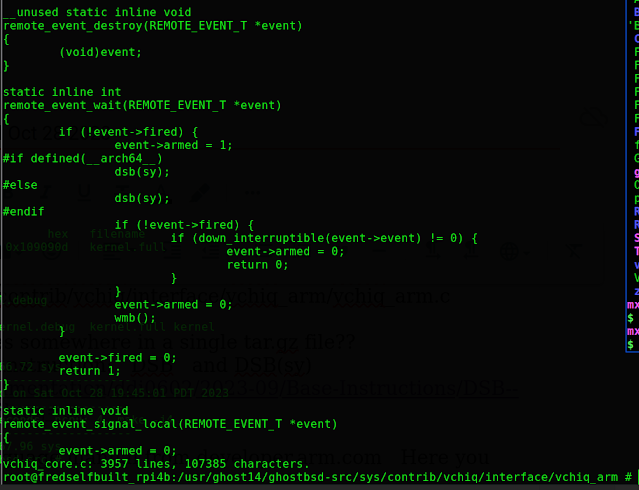
Compiling GhostBSD 14.0 src code, What I learned Oct 28 2023 Not sure if it is STABLE or RELEASE RC3, most likely STABLE source code Get the source code from Github.com/ghostbsd/ghostbsd-src  with this String  I  just finished the Make BuildKernel  compile for Ghostbsd 14.0 on the Raspberry Pi 4B , 8gb hardware running FreeBSD 15.0-CURRENT  ghostbsd-arm64.blogspot.com From Eric Turgeon: by the way, if you want to build ghostbsd from stable/14 you can use: mkdir -p /usr/ghost14 cd /usr/ghost14 git clone -b stable/14 https://github.com/ghostbsd/ghostbsd-src.git   to update sources: cd /usr/ghost14/ghostbsd-src git -C /usr/ghost14/ghostbsd-src pull --ff-only    Build both World and Kernel:  time make -j4 buildworld buildkernel TARGET_ARCH=aarch64 KERNCONF=GENERIC-VCHIQ -DNO_CLEAN  For just building the kernel; cd /usr/ghost14/ghostbsd-src time make -j4 buildkernel TARGET_ARCH=aarch64 KERNCONF=GENERIC-VCHIQ -DNO_CLEAN  I had many errors...

Poudriere Build setup, update FreeBSD 14.0-CURRENT packages & source code release

Image
 Poudriere,  update Raspberry Pi 4B FreeBSD 14.0-CURRENT packages & source code release  Modified July 29, 2023 Update the Source, Luke.  Before engaging the Drive login to root user account on Raspberry Pi 4B with 8 gigs dram and wired Ethernet connection to internet pkg update pkg upgrade portsnap  fetch update cd  /usr/src git -C /usr/src pull --ff-only  Installing FreeBSD Source Code 14.0-CURRENT to /usr/src Originally download original /usr/src code head for FreeBSD cd /usr git -C /usr clone -o freebsd -b main --depth 1 https://git.freebsd.org/src.git src – https://old.reddit.com/r/freebsd/comments/keme3b/heads_up_freebsd_changing_from_subversion_to_git/ghxggjm/ EXAMPLE: root@generic-arm64:/usr/src # pwd /usr/src root@generic-arm64:/usr/src # cd /usr root@generic-arm64:/usr # git -C /usr clone -o freebsd -b main --depth 1 https://git.freebsd.org/src.git src Cloning into 'src'... remote: Enumerating objects: 98541, done. remote: Counting obje...

time; make -j4 buildworld KERNELCONF=GENERIC-VCHIQ -DNO_CLEAN

time make -j4 buildworld KERNELCONF=GENERIC-VCHIQ -DNO_CLEAN    # script /var/tmp/mw.out Script started, output file is /var/tmp/mw.out   https://people.freebsd.org/~rodrigc/doc/handbook/makeworld.html Can /usr/obj be removed when finished? This directory contains all the object files that were produced during the compilation phase. Normally, one of the first steps in the make buildworld process is to remove this directory and start afresh. Keeping /usr/obj around when finished makes little sense, and its removal frees up a approximately 2GB of disk space. Can interrupted builds be resumed? This depends on how far into the process the problem occurs. In general, make buildworld builds new copies of essential tools and the system libraries. These tools and libraries are then installed, used to rebuild themselves, and are installed again. The rest of the system is then rebuilt...