Posts

Showing posts with the label Kernel

Poudriere Simple Tips on $PATH, ccache, & Calling Poudriere command line
Image
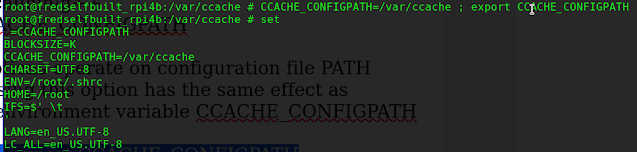
Poudriere Simple Tips on $PATH, ccache, &Calling Poudriere command line  Poudriere Simple Tips Create a Jail  poudriere jail -c -j ghostbsd-14-aarch64 -m src=/usr/ghost14/ghostbsd-src   Bulk build packages from a previously create jail and a package list file  poudriere jail -l  poudriere bulk -j  ghostbsd-14-aarch64 -p ghostbsd_ports -f /usr/local/etc/poudriere.d/pkglist    Bulk build all packages (yes 33,000+) poudriere bulk -j ghostbsd-14-aarch64  -p ghostbsd_ports -a   To create   ghostbsd ports for poudriere poudriere ports -c -p ghostbsd_ports -m git -U "https://github.com/ghostbsd/ghostbsd-ports" -B main To update ghostbsd ports source code to latest main version poudriere ports -u -p ghostbsd_ports -m git -U "https://github.com/ghostbsd/ghostbsd-ports" -B main  
Compiling GhostBSD src code, What I learned Oct 28 2023

Image
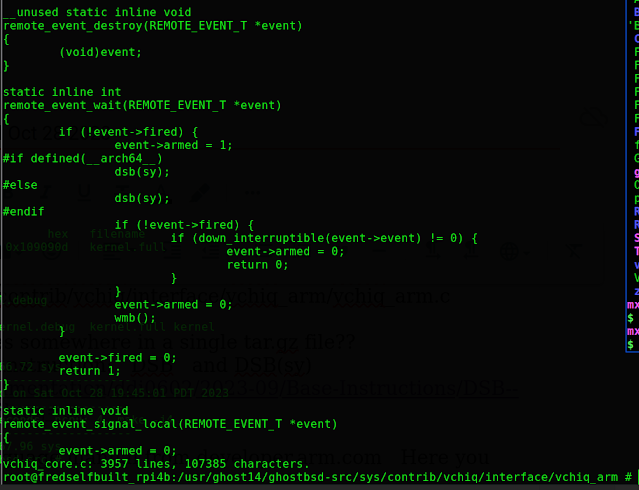
Compiling GhostBSD 14.0 src code, What I learned Oct 28 2023 Not sure if it is STABLE or RELEASE RC3, most likely STABLE source code Get the source code from Github.com/ghostbsd/ghostbsd-src  with this String  I  just finished the Make BuildKernel  compile for Ghostbsd 14.0 on the Raspberry Pi 4B , 8gb hardware running FreeBSD 15.0-CURRENT  ghostbsd-arm64.blogspot.com From Eric Turgeon: by the way, if you want to build ghostbsd from stable/14 you can use: mkdir -p /usr/ghost14 cd /usr/ghost14 git clone -b stable/14 https://github.com/ghostbsd/ghostbsd-src.git   to update sources: cd /usr/ghost14/ghostbsd-src git -C /usr/ghost14/ghostbsd-src pull --ff-only    Build both World and Kernel:  time make -j4 buildworld buildkernel TARGET_ARCH=aarch64 KERNCONF=GENERIC-VCHIQ -DNO_CLEAN  For just building the kernel; cd /usr/ghost14/ghostbsd-src time make -j4 buildkernel TARGET_ARCH=aarch64 KERNCONF=GENERIC-VCHIQ -DNO_CLEAN  I had many errors...

Poudriere Build setup, update FreeBSD 14.0-CURRENT packages & source code release

Image
 Poudriere,  update Raspberry Pi 4B FreeBSD 14.0-CURRENT packages & source code release  Modified July 29, 2023 Update the Source, Luke.  Before engaging the Drive login to root user account on Raspberry Pi 4B with 8 gigs dram and wired Ethernet connection to internet pkg update pkg upgrade portsnap  fetch update cd  /usr/src git -C /usr/src pull --ff-only  Installing FreeBSD Source Code 14.0-CURRENT to /usr/src Originally download original /usr/src code head for FreeBSD cd /usr git -C /usr clone -o freebsd -b main --depth 1 https://git.freebsd.org/src.git src – https://old.reddit.com/r/freebsd/comments/keme3b/heads_up_freebsd_changing_from_subversion_to_git/ghxggjm/ EXAMPLE: root@generic-arm64:/usr/src # pwd /usr/src root@generic-arm64:/usr/src # cd /usr root@generic-arm64:/usr # git -C /usr clone -o freebsd -b main --depth 1 https://git.freebsd.org/src.git src Cloning into 'src'... remote: Enumerating objects: 98541, done. remote: Counting obje...

FreeBSD 14.0 Compiling kernel for Raspberry Pi 4B

Image
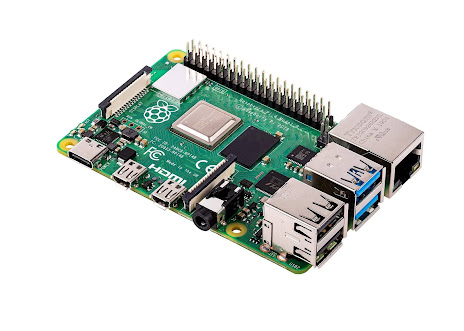
 FreeBSD 14.0 Compiling kernel for Raspberry Pi 4B in 4 easy steps, updated December 13, 2022 Start with a downloaded RPI image .img FreeBSD snapshot file you can write into a USB Flash drive.   decompress the file with  command:     xz  -dv freebsd_raspi.img Boot  the from USB Flash drive image built from a  Snapshot image   Use the running Snapshot image FreeBSD use "bsdinstall" to download and install FreeBSD, over the ethernet cable connected to your router, to the external usb Hard drive or SSD drive. Shutdown reboot,  remove the USB Flash drive stick from the RasPi4B, reboot from the external usb Hard drive or SSD drive. freebsd.org/where   https://download.freebsd.org/snapshots/arm64/aarch64/ISO-IMAGES/14.0/ Here is the September 9, 2022 FreeBSD 14.0 Snapshot image for RPI 3 or 4, right click on to "save as" a file on your local hard drive.  or use either of the commands:  curl -O https://url_link...

ZERO 0 page, What tools to use, List of items to implement, Howto for aarch64 port of GhostBSD x86 code base

 GhostBSD-ARM64 port Telegram Group: Search telegram for "GhostBSD ARM port"  updated January 23, 2021 What we are working toward   Kernel Debugging Tips note raspberry_pi debugging raspberry pi linux kernel with jtag and GDB Eastrivervillage.com KGDB-KDB-over-serial-with-RaspberryPi LLDB URL links to read Fred Finster, [02.01.21 17:36] Found some recent December 2020 reading material lLLDB-debugger-improvements-for-freebsd/   https://www.moritz.systems/blog/freebsd-remote-plugin-final-milestone-achieved/ FreeBSD 13.0 Current Look at https://PersonalBSD.org     for binary images for  Khadas, RockPi64, RockPi 4, RockPi 4c, Pinebook Pro, NanoPC-T4, ROC RK3399, Plus PC, Lambda Land  Post about getting FreeBSD 13.0 running on the Raspberry Pi 4 https://lambdaland.org/posts/2020-12-23_freebsd_rpi4/   https://bugs.freebsd.org/bugzilla/show_bug.cgi?id=247012 Look for Raspi4 with 8Gigs u-boot version. https://github.com/raspberrypi/firmware/t...