Posts

Showing posts with the label OpenOCD

Compile gdb for aarch64 target to use with MX-Linux. Later compile to use with FreeBSD or GhostBSD-Arm64

Compile gdb for aarch64 target REMOTE Debugging with EmCraft https://www.emcraft.com/som/imx-8m/remote-debugging-with-gdb   Here I found a forum post at forums.raspberrypi.com and a shell script file See my post 2nd about aarch64  https://forums.raspberrypi.com/viewtopic.php?p=2200136&hilit=gdb#p2200136 The first forum post has many useful links and notes. I got a debug probe, here's a bash script to build GDB for ARM   https://forums.raspberrypi.com/viewtopic.php?t=364475  
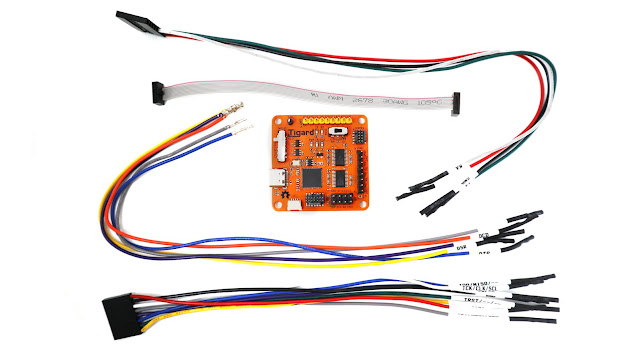
Tigard FT232H Board connectons to a Raspberry Pi 4B for GDB and OpenOCD operation

Image
 Tigard FT232H Board connectons to a Raspberry Pi 4B for GDB and OpenOCD operation https://www.crowdsupply.com https://www.crowdsupply.com/press/tigard   Tigard Board Press Release https://www.crowdsupply.com/securinghw/tigard   Securing Hardware Github directions https://github.com/tigard-tools/tigard    Github hookup directions and source code https://www.electronics-lab.com/tigard-is-here-to-bust-open-any-embedded-physical-interface-you-can-find/   Electronics Lab short write up with GREAT Photo of Tigard Board. https://github.com/tigard-tools/tigard#jtag-debug-on-jtag-or-cortex-header   Github Jtag setup of Tigard board. ( city of Tigard Oregon ) https://embeddedsandbox.com/wordpress/my-raspberry-pi-4-jtag-setup-part-1-introduction/   Part 1 Software, of My Raspberry Pi 4 JTAG setup https://embeddedsandbox.com/wordpress/my-raspberry-pi-4-jtag-setup-part-2-the-hardware-setup/   Part 2 Hardware, of My Raspberry Pi 4 JTAG setup https://pinou...